Connect Jandex to Klaviyo
You will learn
How to connect Jandex to your Klaviyo account so campaign, flow, and revenue data begins syncing automatically. Jandex is a reporting and segmentation layer on top of Klaviyo. Connecting takes about a minute and uses Klaviyo's OAuth flow, so you never enter or share an API key.
Before you begin
Make sure you are:
- In an owner or admin role on the Klaviyo account you want to connect.
- Logged in to that Klaviyo account before you start — the OAuth step will ask you to approve access from whichever account you're signed into.
You do not need a Jandex account ahead of time; you can create one as part of the flow below.
Connect Jandex to your Klaviyo account
There are two ways to connect. Both end up in the same place.
From the Klaviyo App Marketplace
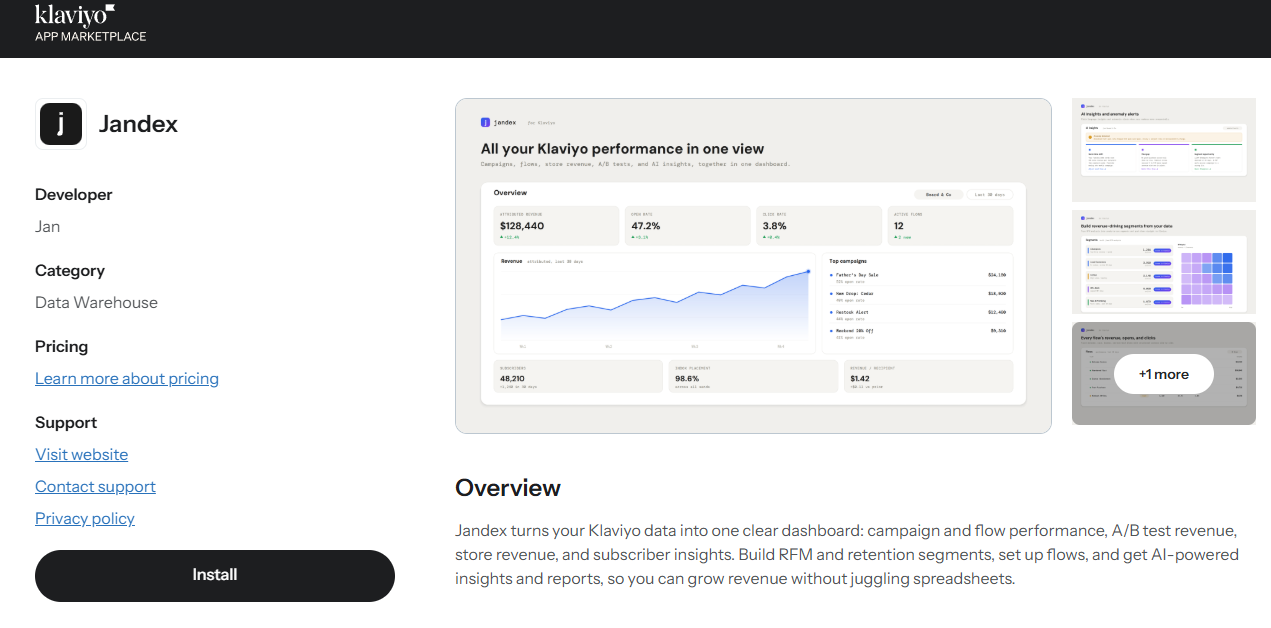
- Open the Jandex listing in the Klaviyo App Marketplace and click Install.
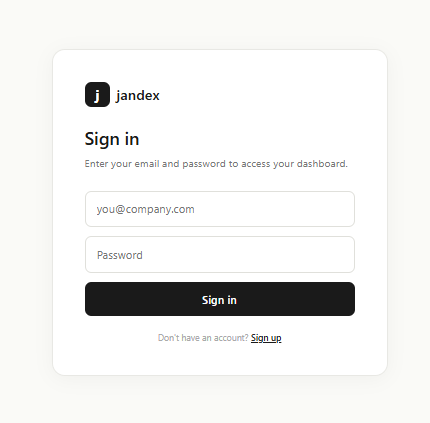
- You're taken to Jandex. Sign in, or create an account if this is your first time.
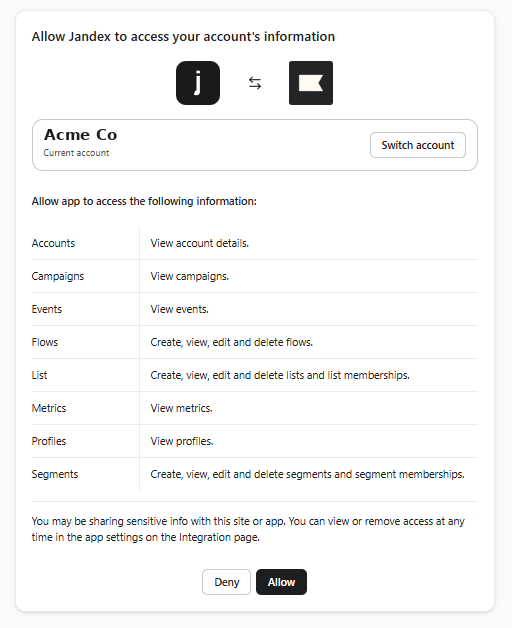
- Click Connect, review the permissions Klaviyo shows you, and click Allow.
- You're returned to Jandex and your account begins syncing.
From inside Jandex
- Open the profile menu, choose Manage Accounts, then Add account and select Klaviyo.
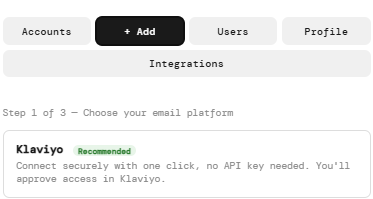
- Click Connect Klaviyo. You're sent to Klaviyo to approve access.
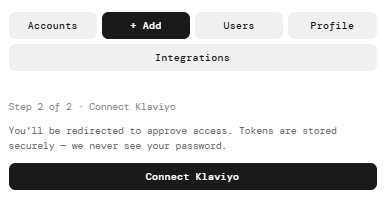
- Review the permissions and click Allow. You're returned to Jandex with your new account added.
Monitor your data sync
The first sync pulls your recent history: a few minutes for small accounts, up to a couple of hours for large ones. You can keep using Jandex while it runs, and the Overview page fills in as data arrives.
To see exactly what data syncs and in which direction, read the data reference.
How to contact support
Email support@jandex.io. To help us respond quickly, include:
- The name of the Klaviyo account you connected (shown at the top of your Jandex dashboard).
- What you were doing when the issue happened.
- A screenshot of the issue, if you have one.
Using your data once connected
Once synced, your Klaviyo data powers everything in Jandex: campaign and flow performance side by side, RFM-based customer segmentation, and AI insights that flag when a number moves unexpectedly. The most common next step is building a segment and sending it back to Klaviyo as a List — see Build and push a win-back segment to Klaviyo. For a full tour of every page, see Your Jandex dashboard.
Outcome
You've connected Jandex to your Klaviyo account. Data is syncing automatically, and you can start exploring your Overview page, build RFM segments, and push them back to Klaviyo as Lists whenever you're ready.
Additional resources
- What data syncs between Jandex and Klaviyo — the full data reference.
- Build and push a win-back segment to Klaviyo — the most common use case.
- Your Jandex dashboard — a tour of every page.